The Problem
Imagine having three hours in between two meetings in two different locations, you need to make the most out of the time to finish up and prepare for the second meeting. You are in a new area and don't have much time to look around for places to sit and work.
This is a scenario that a lot of freelancers and remote workers experience. People report often having to spend a lot of time trying to navigate and find information about “work-friendly” spots nearby. Many also report going to places, setting up their equipment, to realize that there is no wifi or feeling uncomfortable taking up too much space.
The Project
This is the result of an academic project as a part of Springboards UX/UI Bootcamp. To solve the problem, I went through a Google Ventures Design Sprint. Due to working alone on the project, I did a modified version of the sprint. The objective was to create a low-fidelity mockup.
Postup is a fictional startup where freelancers and remotes workers can share tips and advice. They have brought me on to do a design sprint to come up with a solution.
The Solution
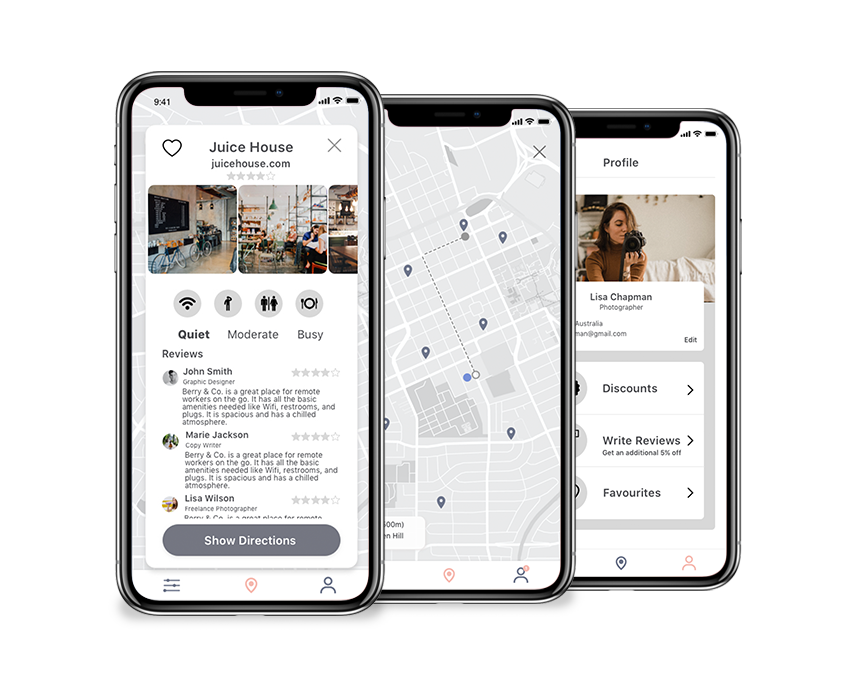
I have through a design sprint, designed an app that helps remote workers reduce the time spent looking for cafes by providing all the information need to find “work-friendly” cafes in a quick, informative, and effortless way.
My Role
I worked alone, but in good collaboration with my mentor. I have been responsible for the whole end-to-end process. This included user research and synthesizing, sketching, user journeys, prototyping, and usability testing.

The Design Constraints
Monthly fee
PostUp wants to charge the users a 5.99$ monthly fee in exchange for unlimited access to PostUp 's information
Existing places
PostUp wants to help the users find places that already exists
Mobile app
The solution should be designed as a mobile app.
Business Model
With the “subscription fee” design constraint in mind, it will be important to create value for the users that will exceed the cost of the subscription.
Although they get access to the data of the app, through my research and speaking to users, I found that this alone would not be enough for people to subscribe.
The Business model would be a combination of charging users a subscription fee to access the data, and through collaboration with the cafes. The cafes will offer a discount to customers who found the cafe through the app, in exchange for increased traffic and reviews.
To increase the app engagement and user retention, and to ensure customers writing reviews, a solution would be to also give an additional discount per review as well as increasing the benefits based on continuous use.
Understand
I started the design sprint by going through the user research provided to me. To synthesize the data, I started by creating an affinity map. This helped me get a better understanding and overview of the problem and the user's needs.
How might we
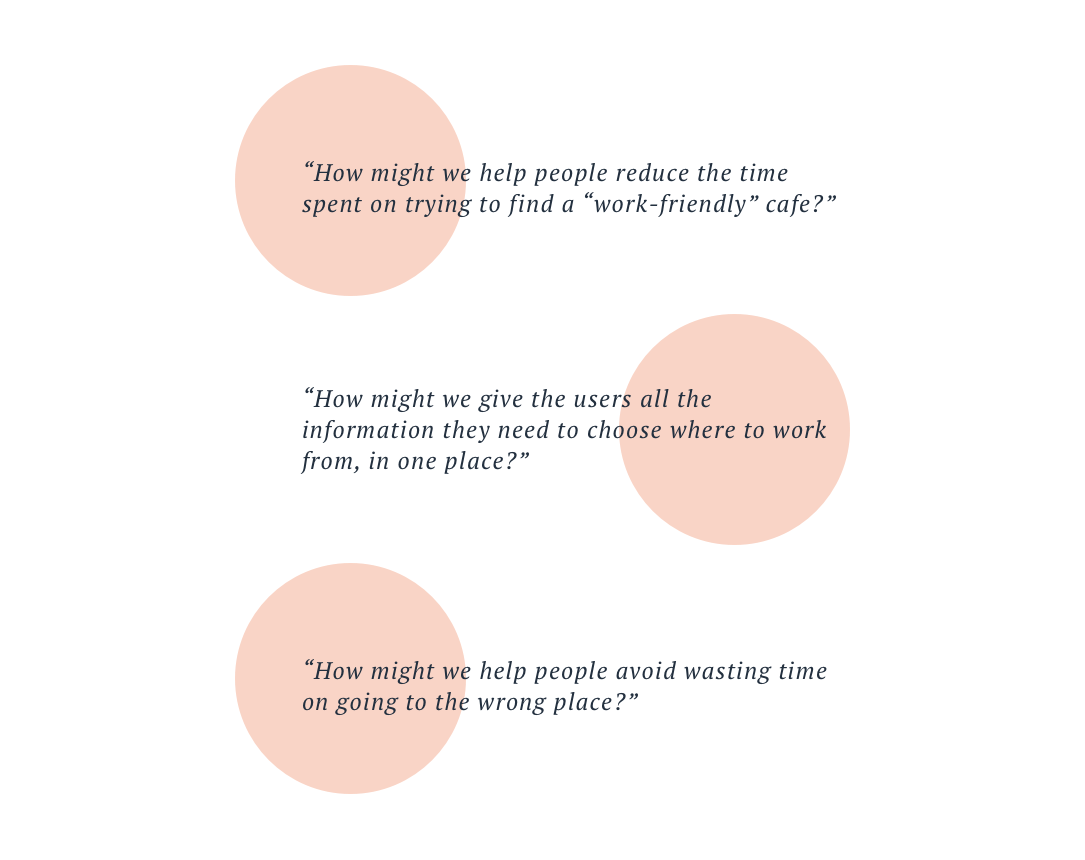
I then wrote down a few HMW questions, to ensure making informed decisions throughout the process by keeping the problems of the users in the forefront of my mind.
Map
After getting a better understanding of the problem, I started drafting a few possible end-to-end experiences a user would have with the product. The users are on the left and the goal they would like to achieve by using the product is on the right. The steps they would have to take to achieve the goals are in the middle. I decided to continue the process with the map below.

Sketch
I started Day 2 by doing a solo lightning demo, followed by the crazy 8s method, and then I was ready to create a solution sketch.
Lightning Demo
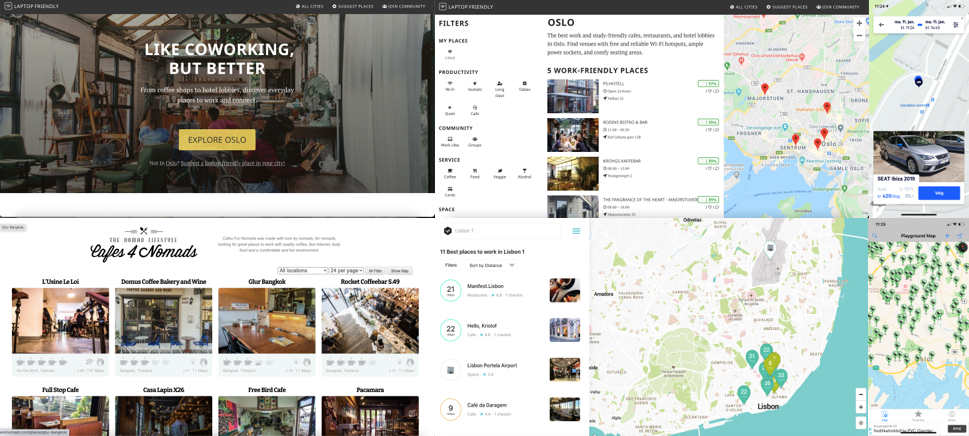
I did a solo version of a lightning demo. This was done by looking at competitors who have solved similar problems, both in the same and in different industries, to get inspiration on how to solve the problem.
Crazy 8's
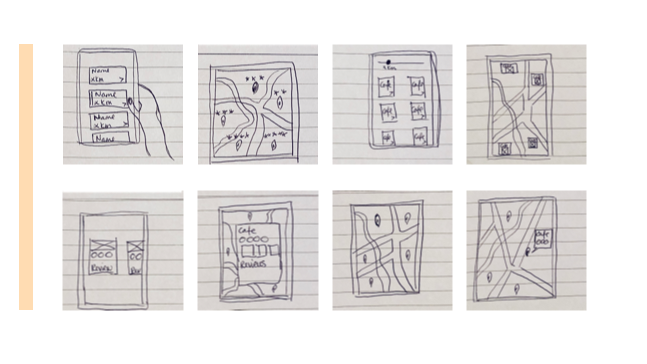
To generate ideas for a solution to the most critical screen of the app, I used the Crazy 8´s method where I quickly sketched 8 different ideas in 8 minutes.

Solution Sketch
I started sketching a few three-panel storyboards of the critical screen, and the screen that comes before and after the critical screen.
Decide
In a team setting, Day 3 would start with sharing and selecting which ideas from the different team members to focus on. Because I was doing the sprint alone, I had to decide which one of my own ideas to go ahead with, and I, therefore, continued to work on the idea I decided on at the end of Day 2.
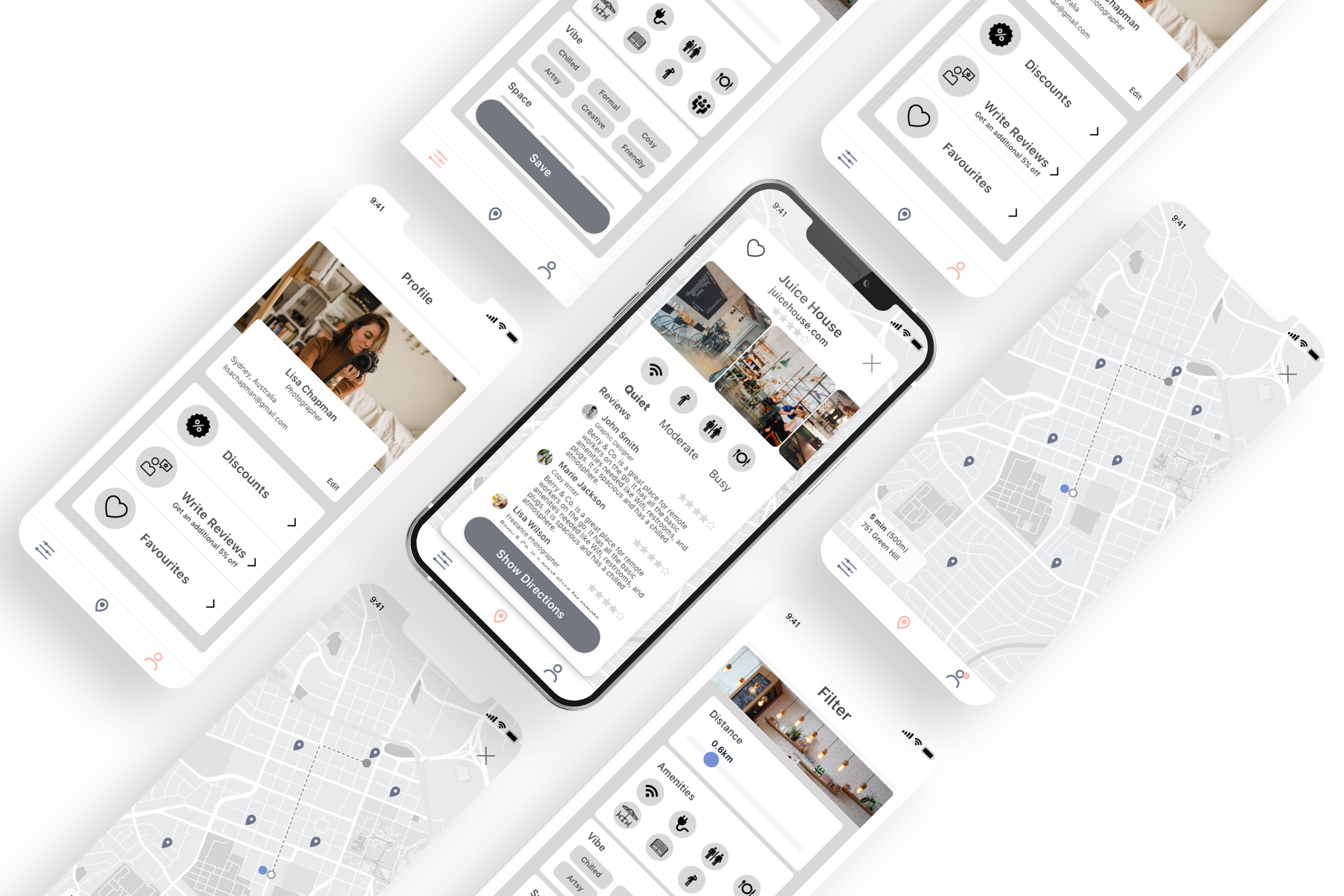
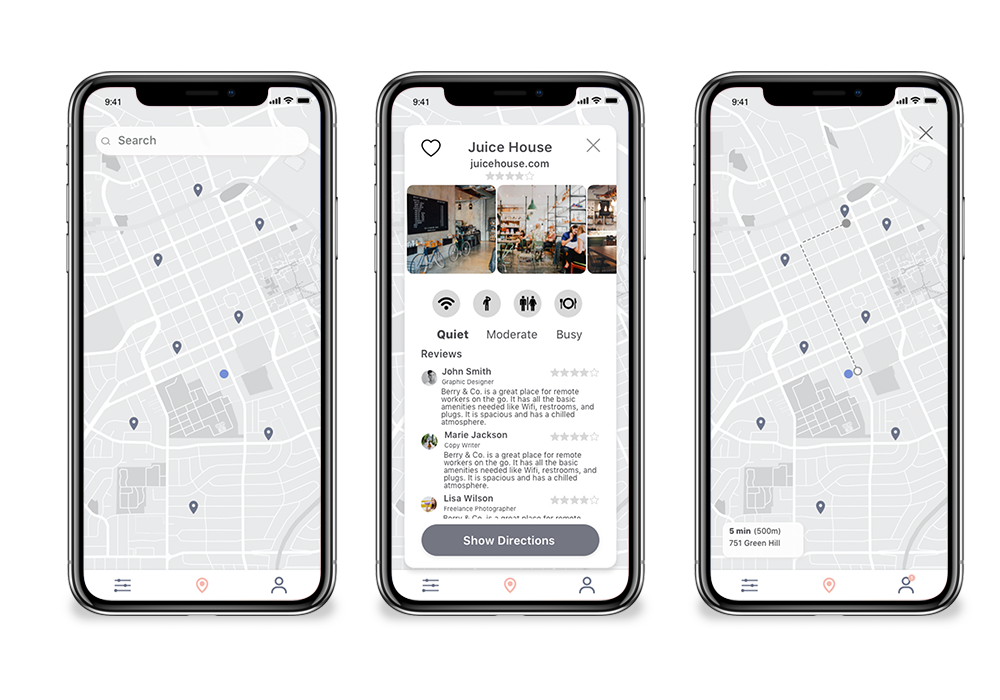
The reason why I chose this solution was that I think it will give the users a way to find a cafe to work from in a quick and effortless way. By incorporating a Google map, it will feel familiar to the user which will reduce the cognitive load. By providing relevant and specific information about how the space looks, what work-related amenities they have, and reviews from other remote workers, the users will be able to see all the information they need in one place, and quickly make a decision.
Storyboard
I continued working on the idea by adding panels to the mini storyboard I created on Day 2. This resulted in a nine-panel storyboard and focused on the interactions the user would need to have, to complete the main tasks they would use the app to accomplish.

Prototype
On Day 4 it was time to create a prototype. I had to balance working fast and lean, with creating something realistic, so that it would feel natural for the users to test during the validation and testing phase of the process. This led me to create the prototype below, which is low fidelity but has some pictures and colors to make it feel more like an actual app.
To prepare for the testing and validation phase, and to keep what I wanted to get out of it in mind, I asked myself what the initial goals of the case and my goals for the testing were, and what I hope to learn from it.
Main goals & learnings
Will the app solve the problem of finding a work-friendly cafe in a quick, informative, and effortless way?
Does the app provide enough value for users to pay the subscription fee?
Is the functionality of the app clear and intuitive?
Are the icons clear?
Would there be enough incentive to write reviews?
Validate
This was the last day of the design sprint, and it was time to test the prototype and get feedback from the users. For this phase, I interviewed 5 participants and observed them as they went through the prototype. The participants were people who work remotely, either full-time or part-time. The interviews were conducted remotely using FaceTime, due to the pandemic. I used the Five-Act interview technique which includes:
Act 1 - Friendly Welcome
Act 2 - Context Questions
Act 3 - Introduce the Prototype
Act 4 - Tasks
Act 5 - Quick Debrief
Issues
Uncertainty whether “settings” will be automatically saved or not
The meaning of some icons are unclear
5% additional discount wouldn’t be enough to write reviews
More explanation about customer traffic is needed
Some were confused about the discount and reviews being under profile
How long is the QR code valid?
Expect to go straight from pop-up notification to write a review
Successes
People would be willing to pay subscription fee when given extra value through discounts
The app feels intuitive and clear
People would use the app and saw it as a quick and easy way to find a good cafe to work from
First-time User Personal Settings
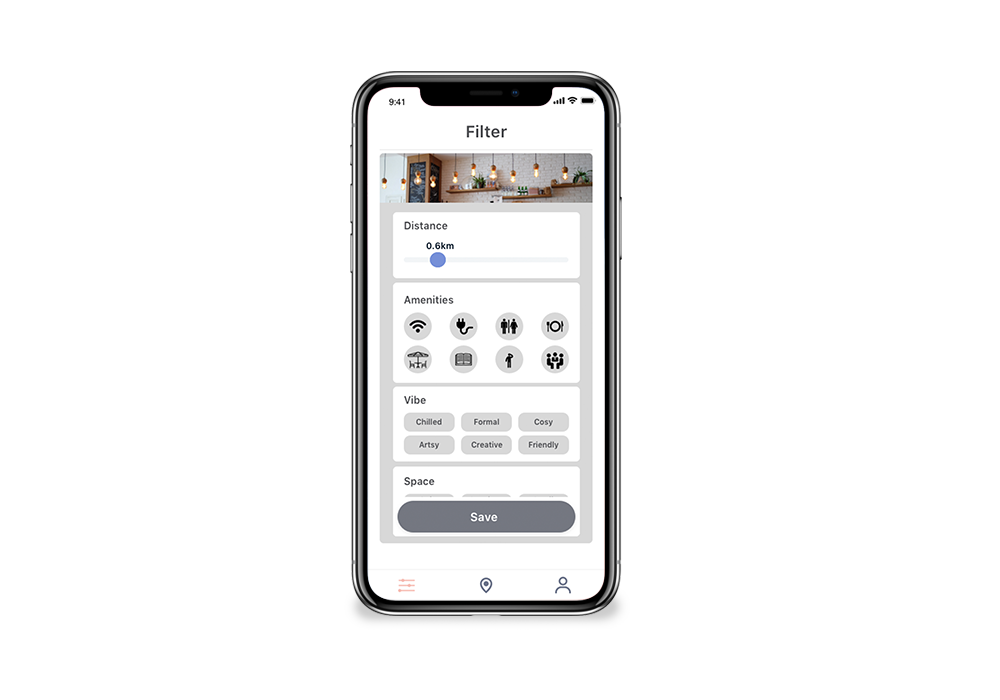
As a first-time user chose your personal settings to see cafés that suit your preferences. This can quickly be changed at any later stage.
Find and Choose Café
Check out the cafés nearby, see all the information you need to know if it is a "work-friendly café". When you have found a café you like, get the directions directly in the app.
Use Your Discount
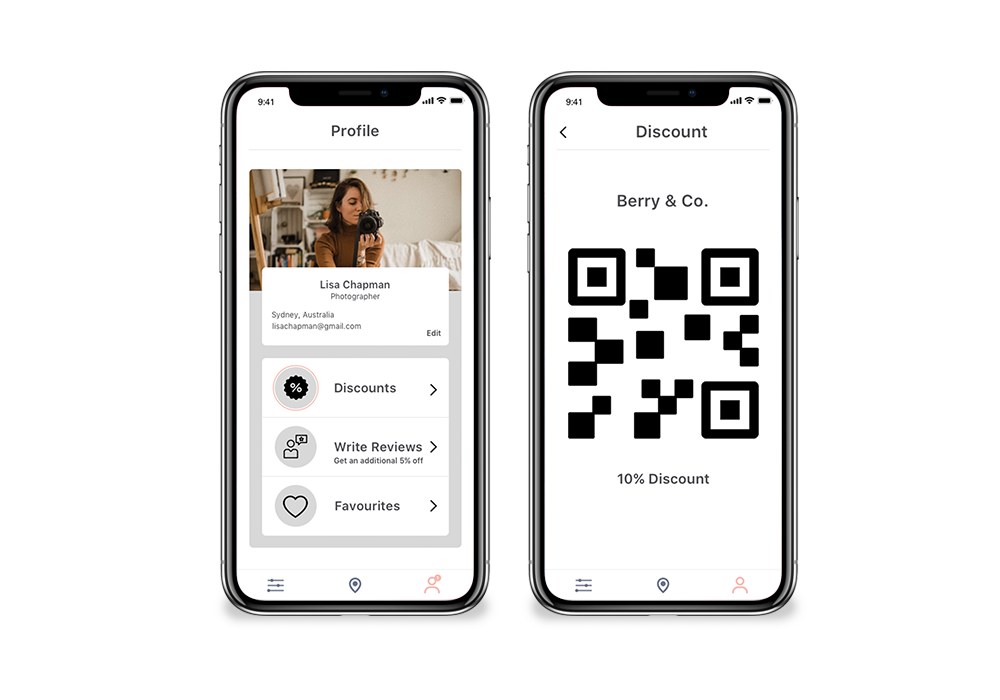
When you get to the café you have chosen, use the QR code given to you and get a 10% discount on your purchase.
Write a Review
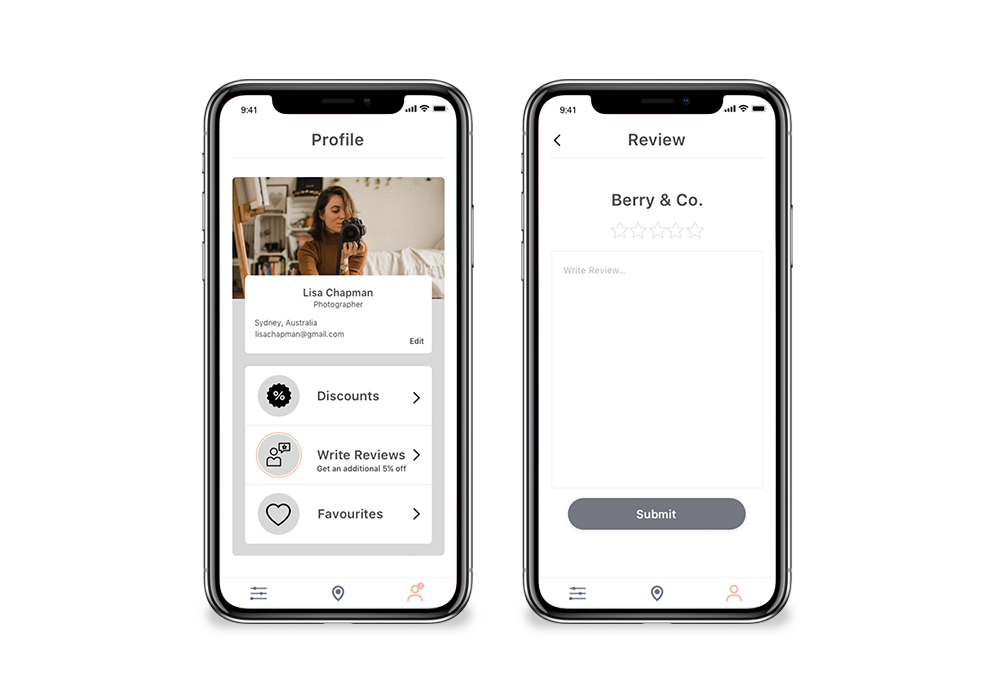
A few hours after your visit, you will get a Pop-Up Notification, reminding you to write a review about the "work-friendliness" of the café, and receive an additional 5% discount on your next visit at any of the cafés in the app.
What I learned
Although it was interesting and I learned a lot doing the process by myself, I would have loved to have a team to do the design sprint with, and some of the methods become less effective when doing it alone.
It has been really interesting to see how well the Design Sprint process works and that it is possible to create something testable and realistic in only a few days, without compromising on the user’s needs.
What the next steps would be
Since this is an academic project, I will not continue working on the app. If I were to continue, I would have continued by doing iterations based on the feedback from the testing. Some potential next steps could be
Collaborations with co-working spaces
Offer “coffee cards” in addition to discounts
Create a social networking feature that makes it possible to connect and meet up with other remote workers in the area