FitKnit
A fitness app that lets you reach your health and fitness goals together with friends and family in a fun, social and encouraging way.
Challenge
Imagine, you are using a fitness app and have just achieved your weekly fitness goal or found a fun fitness activity happening next Tuesday in your area, and you really want to share it with your friends and family.
FitKnit is a health and fitness tracking app, for family and friends. Currently, there is no way for users to communicate or alert others about achievements and goals.
This has led to a high percentage of user drop-off because the users aren’t experiencing the app's social elements to be useful.
Project
This is the result of an academic project as a part of Springboards UX/UI Bootcamp. I was given a scenario and asked to solve the problem for a fictional company.
Duration: 6 weeks
My Role
Being the solo designer, I was responsible for the end-to-end process, this has included User Research, Ideation, User Journeys, Information Architecture, Sketching, Wireframes, Visual Design, Prototyping, Usability testing.

Solution
The outcome of the process is an integrated messaging feature that allows users to motivate each other and exercise together, as well as sharing and celebrating each other's achievements and goals, without compromising on the concern of privacy exposure.
FitKnit is designed to help people reach their fitness goals in a fun, social, and encouraging way.

01 Research
Although I would usually have primary research and user interviews as a part of my process, I decided to do a competitive analysis, secondary research, and market research for this project.
This was due to time constraint, but also due to the fact that there has already been done large numbers of studies on what leads to sustained and repeat engagement of Fitness Apps.
Competitive Analysis
I started off my research by doing a quick competitive analysis. This was done to identify successful features that could be used as inspiration for the next step of the process, as well as redundant features to avoid, that made the apps feel cluttered.
“I’d like to share my exercise status.… If someone gives me a thumbs-up, I will be very happy and it will improve my exercise efficiency.”
Market Research
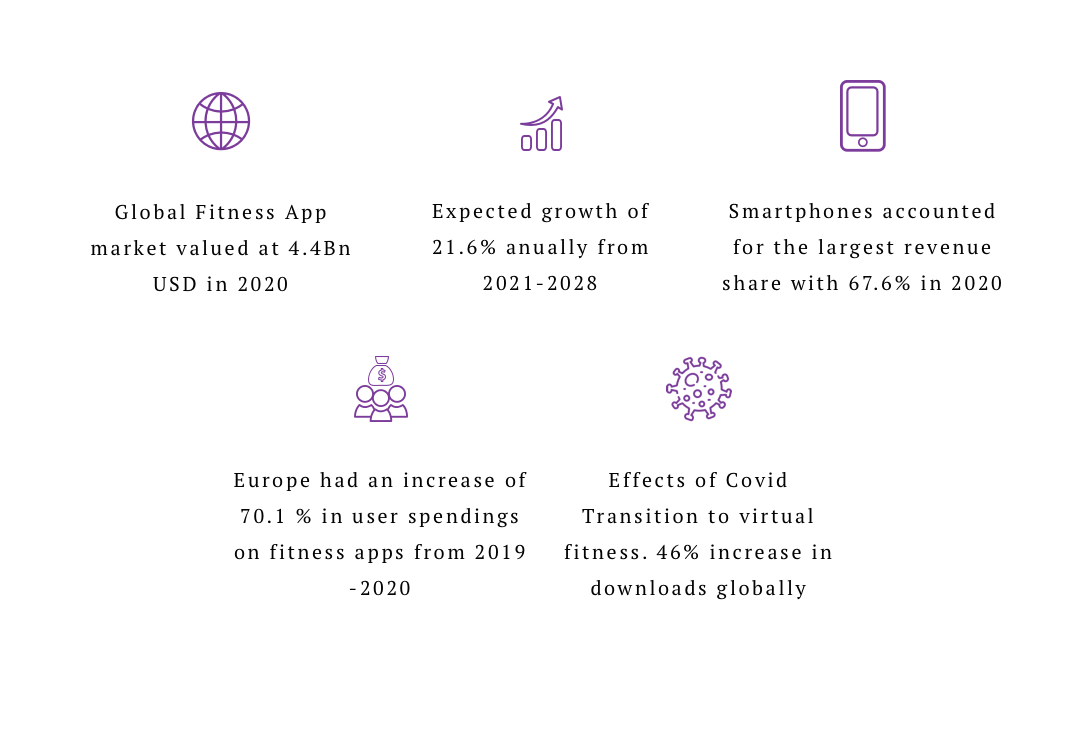
I did market research to get a better understanding of the health and fitness app market. This also allowed me to gain valuable information about what drives the market and helped me gain insight into elements that could be beneficial to include to meet the market needs.

01 Synthesize

Persona
Based on what I learned through my research, I created a persona to guide design decisions, priorities, and develop empathy and keep the users in the center of the process. The objective of this project was to only create one persona.

01 Ideation
Once I had gotten a better understanding of the problem space, and the needs and challenges of the users through my research, I started generating ideas for potential solutions. I used different techniques like brainstorming, user stories, and sketching.

From my process
02 Information Architecture
User Flows
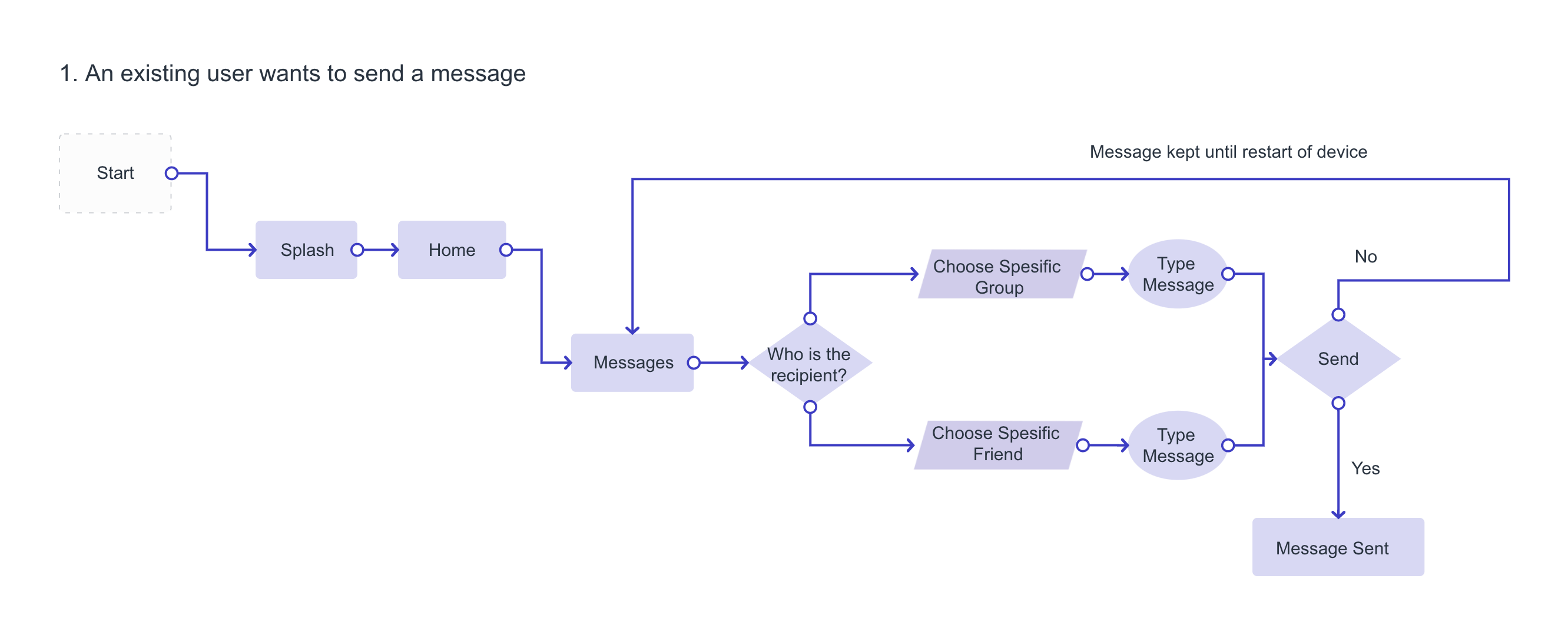
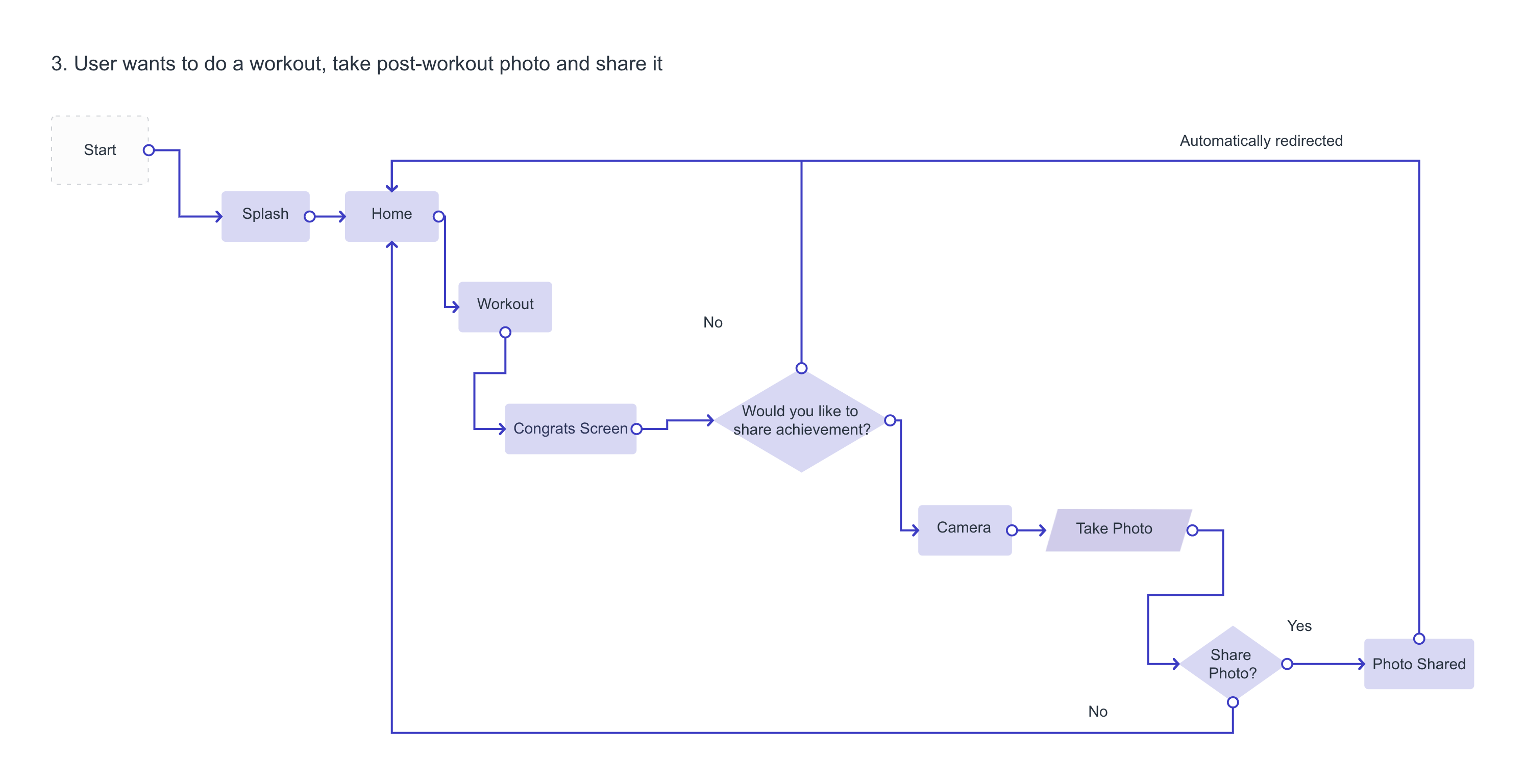
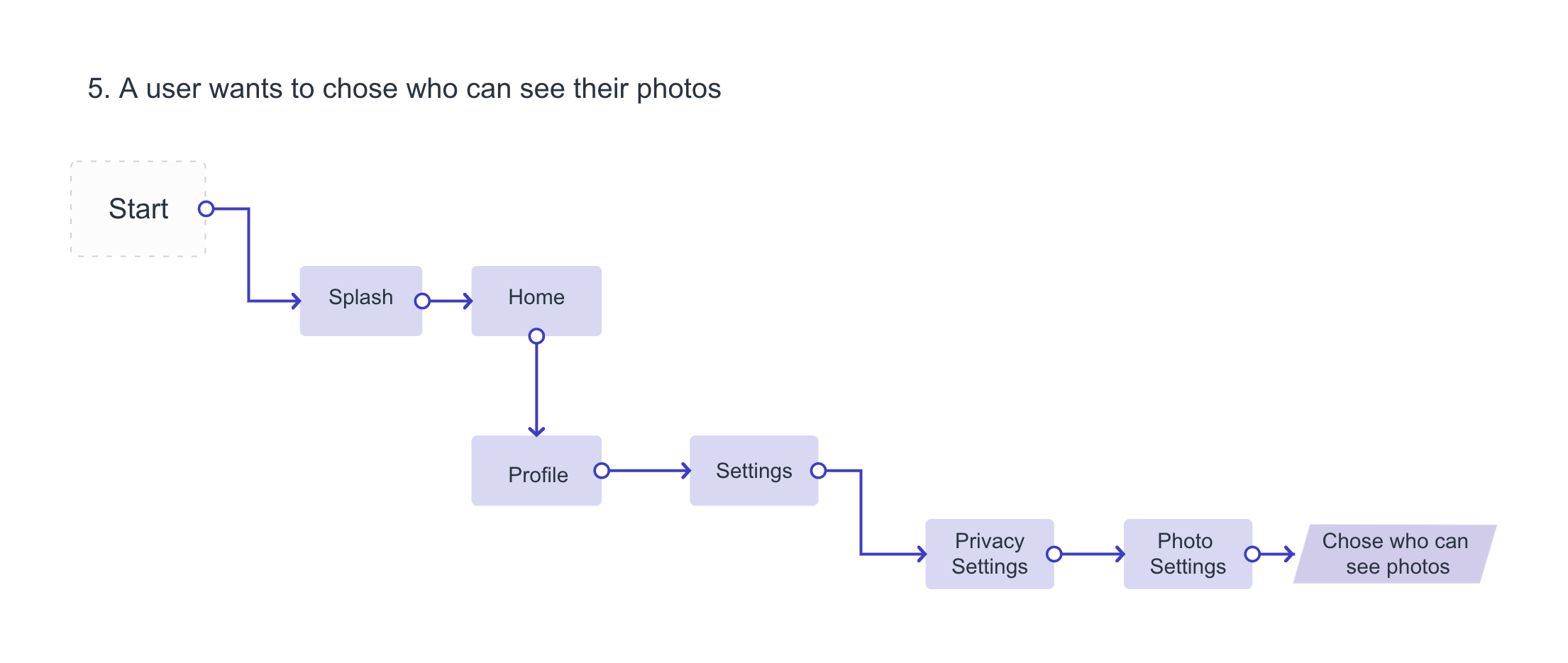
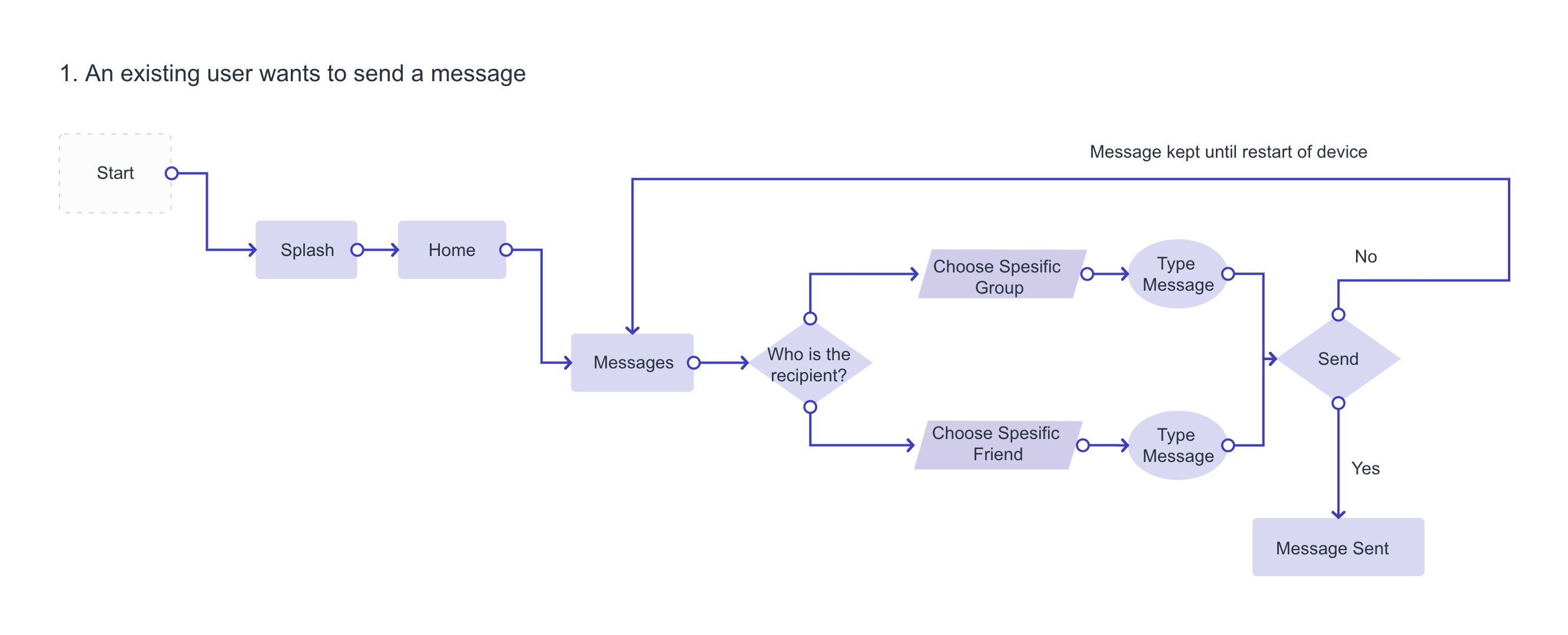
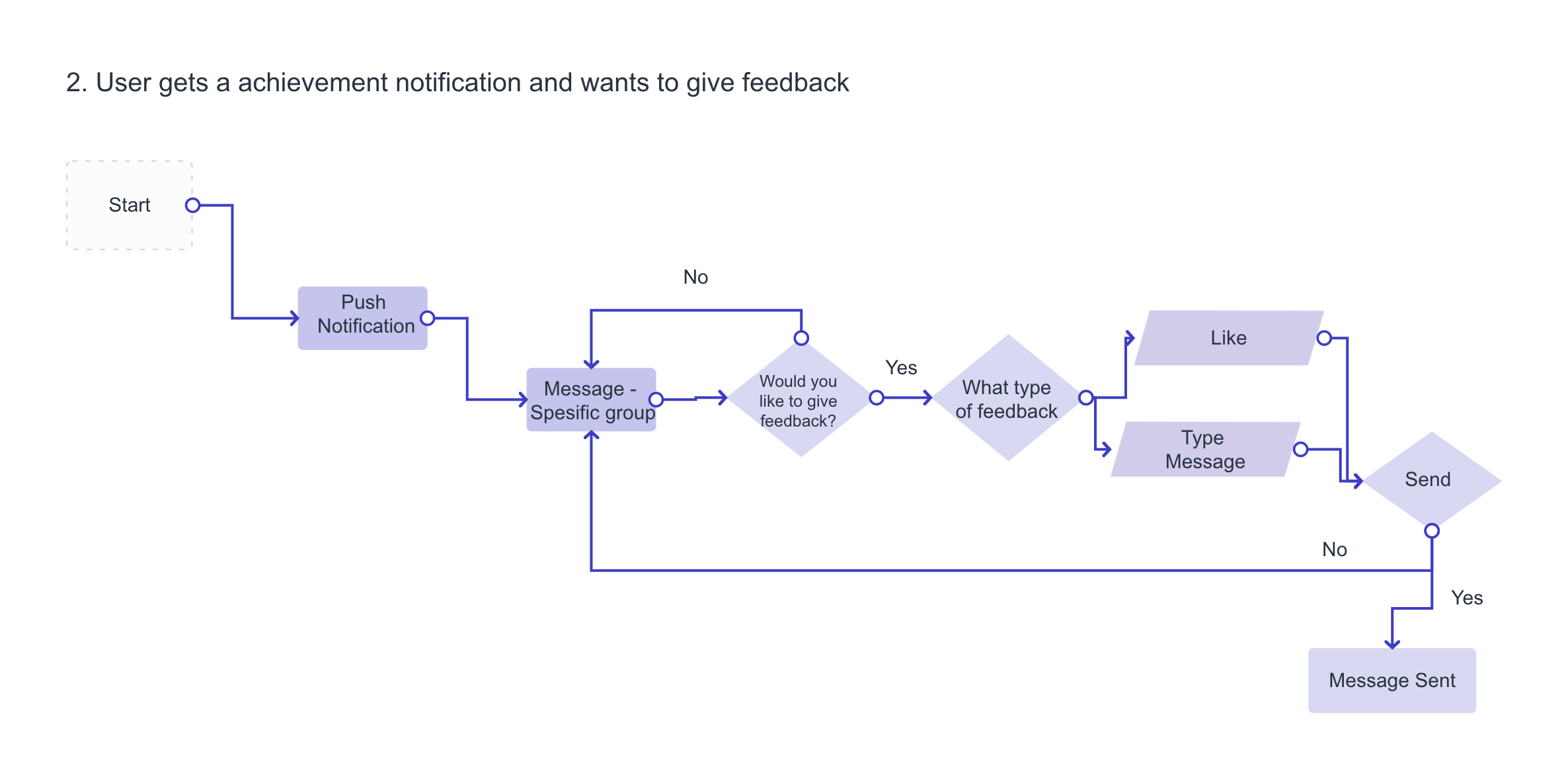
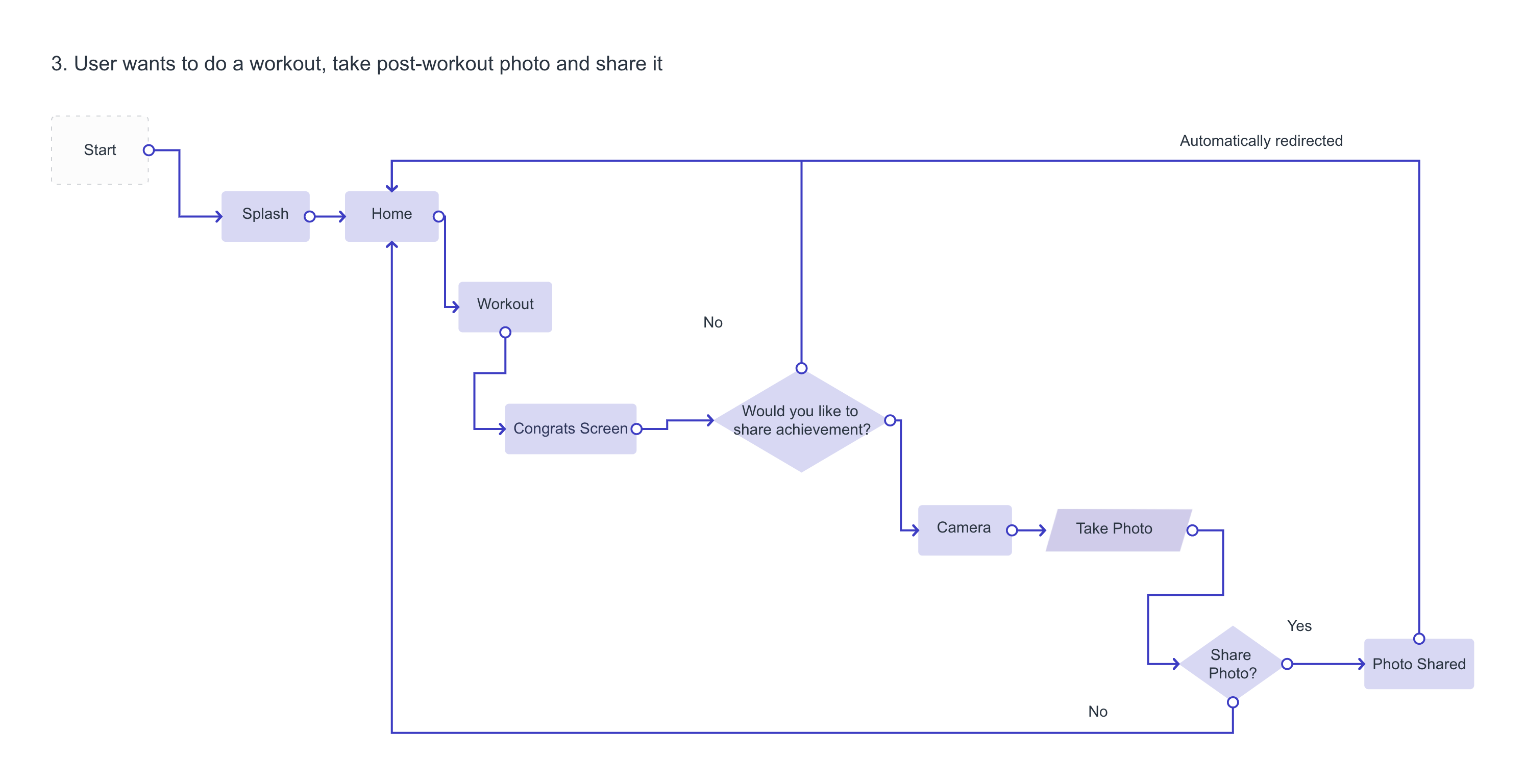
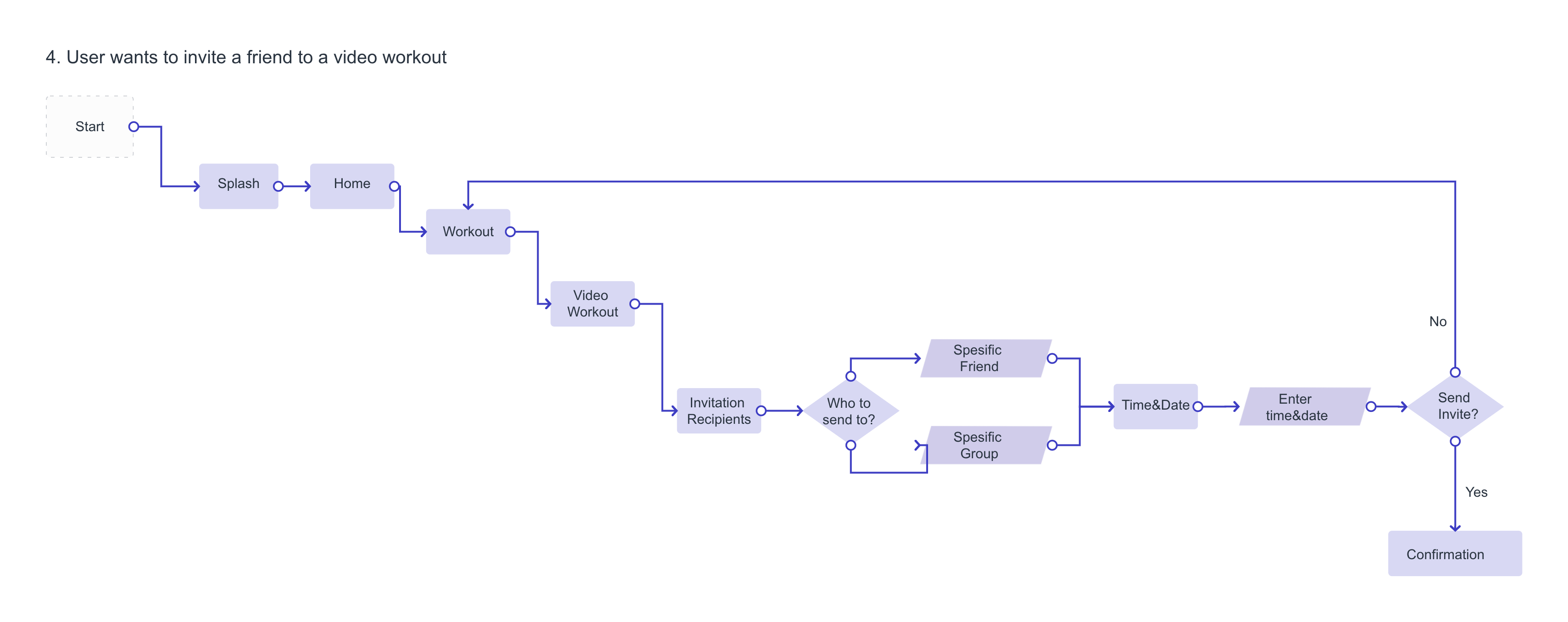
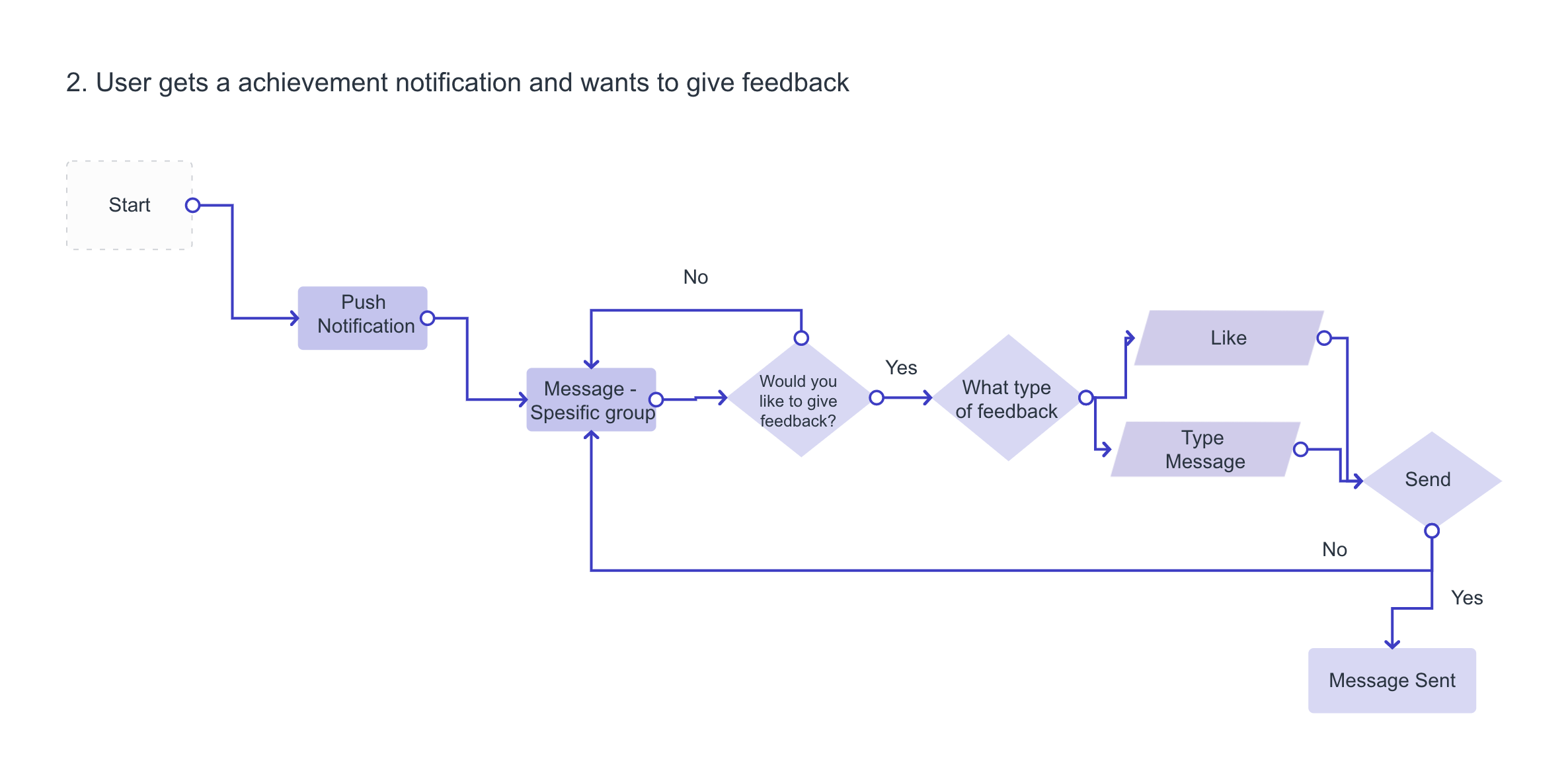
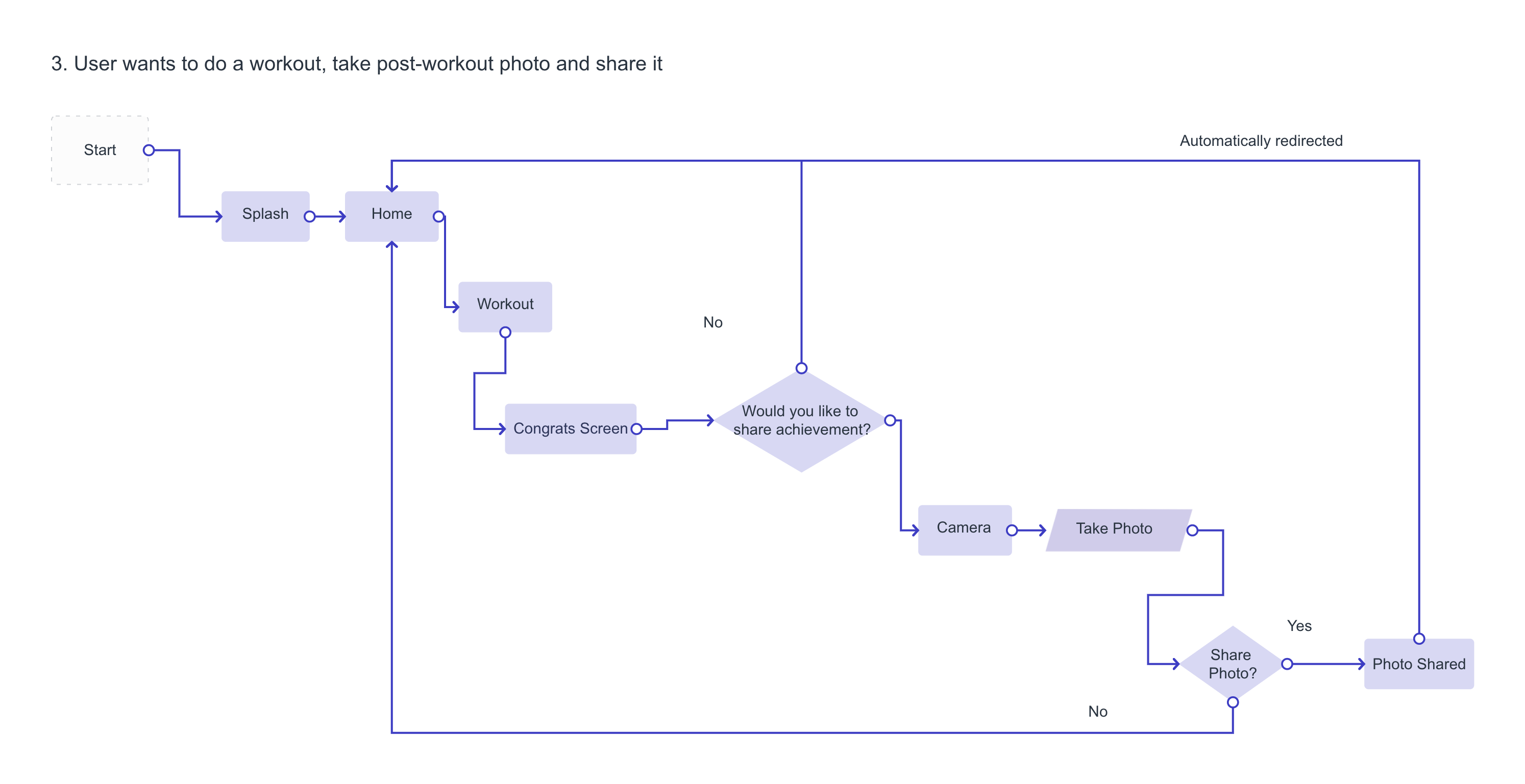
I then started to create User Flows. This was done to identify what routes were going to be critical to the design, and therefore should be in an MVP. It also helped me to get a visual representation of what routes the users would take to reach their goals.
Red Route 1-4 was created at an early stage, and Route 5 was incorporated at a later stage as a result of feedback from the guerilla testing.










03 Sketching
I decided to sketch out the red routes, before making it digital. This helped me to visualize and work through my ideas and concepts, but it also allowed me to do quick iterations where needed.

04 Wireframes
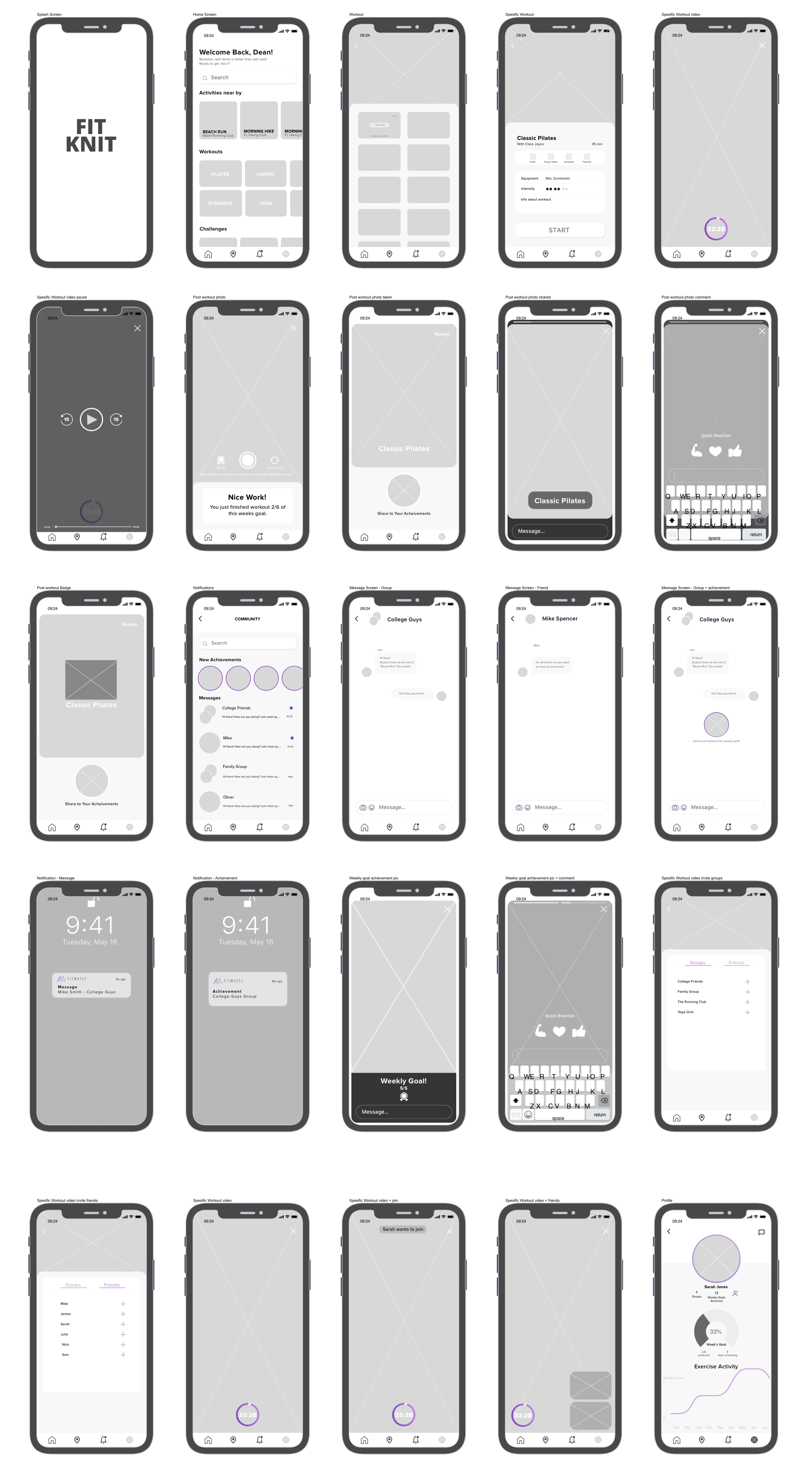
I was then ready to start creating low-fidelity wireframes. It was important for me to find a balance between not spending too much time on the details, but at the same time incorporate enough to create a realistic experience as the next step of the process was Guerilla Testing.
05 Guerilla Test
I continued by creating a prototype in Invision to test my design. Doing a Guerilla Test with 4 participants, allowed me to get some valuable feedback from the users at an early stage, and I quickly realized what iterations I needed to make. Below are the main issues and iterations.
Issues
No way to schedule video workouts
Uncertainty about whether pictures are shared or not
Text is too small
The profile is viewed from other users perspective
Users had a hard time finding the messages
Iterations
Create calendar invite function
Animated feedback - picture “goes into” story
Change font size
Change profile view to profile owners view
Change icon, and move achievements section to the home screen


06 Visual Design
Brand Attributes
Contemporary, Trustworthy, Humourous, Motivational
Brand Personality
“A trusted friend with a good sense of humor who always has your best interest in mind”.
Logo Design
With the brand attributes in mind, I started creating the logo. I wanted to incorporate the letters F and M, as well as keeping it looking fresh, contemporary, and sporty.
07 High Fidelity Designs
I was then ready to take my wireframes, combined with the visual design decisions and the feedback from the first round of testing, and turn it all into high fidelity mockups.
Below is the first version, before Usability Testing.

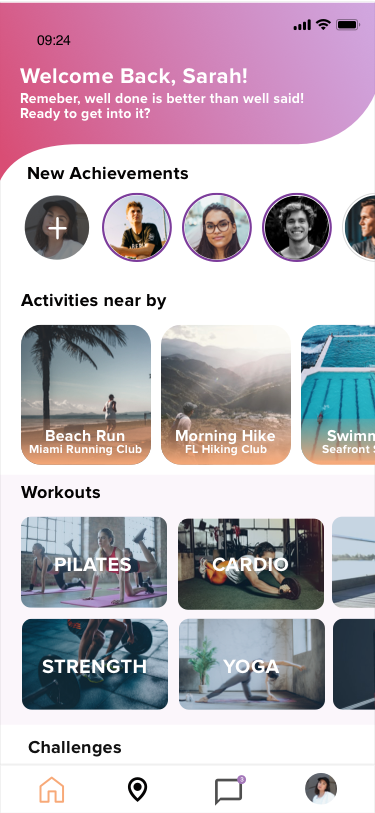
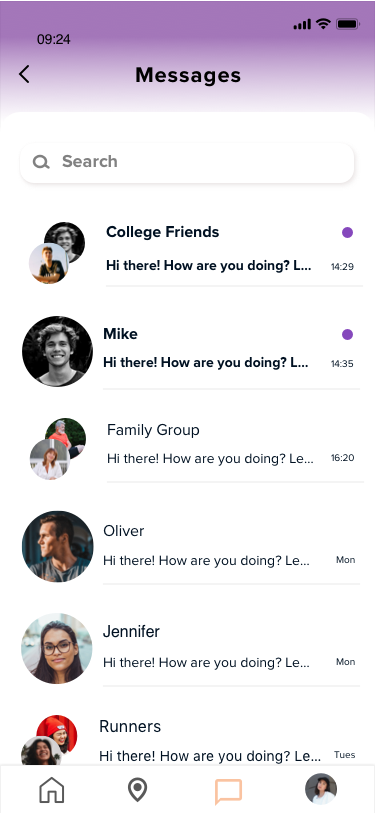
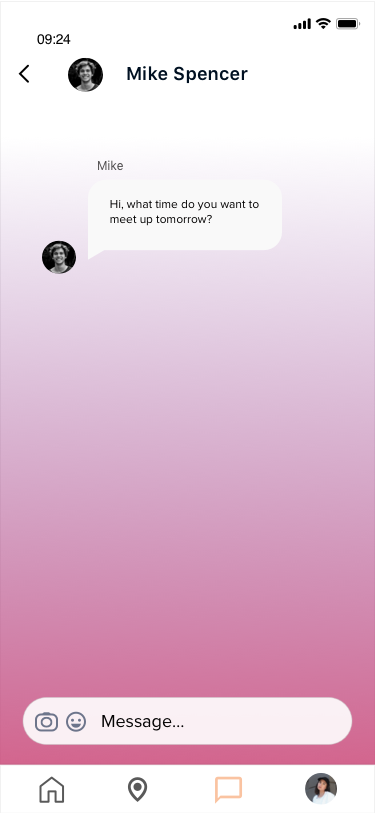


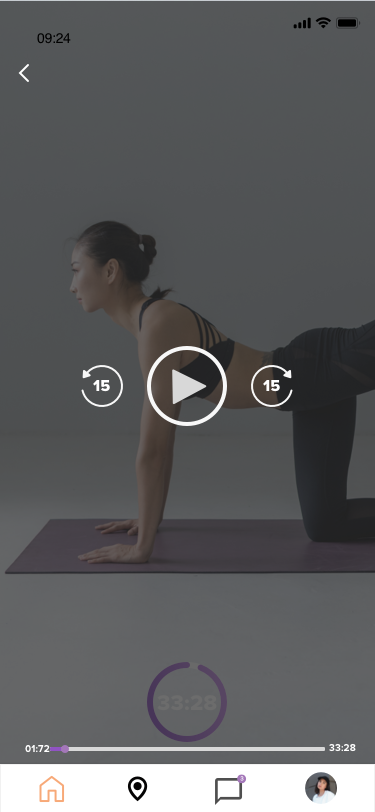


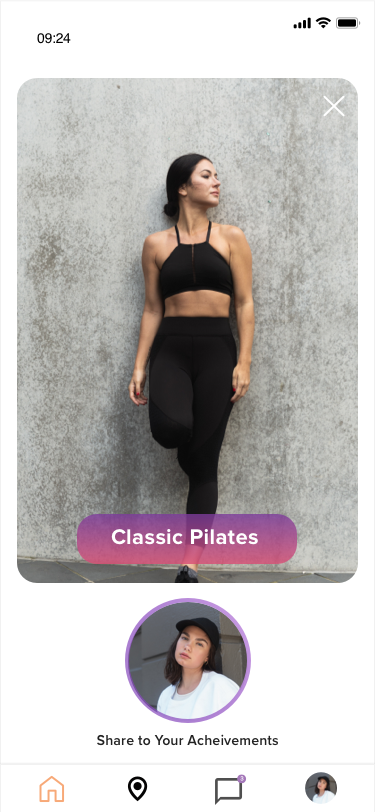
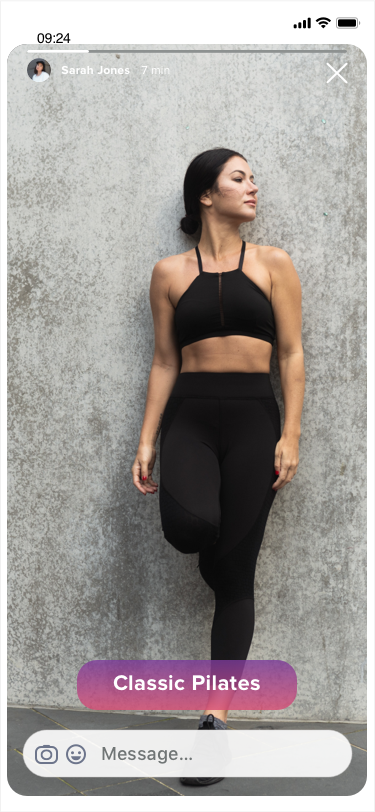


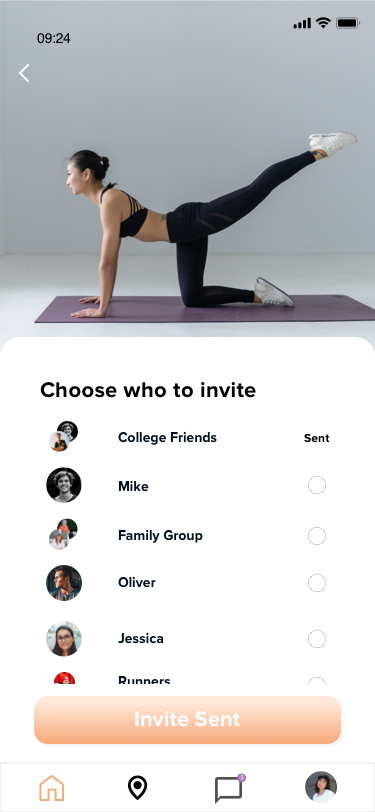


I created a new prototype and was excited to do a new round of Usability Testing, to test the iterations that were done and to potentially identify other usability issues.
This final version of the prototype, created after the second round of testing.

01 Usability Testing
Another round of usability testing was conducted with five participants. This time the participants were people who fit the target group, and who are using or have been using fitness apps. New issues were identified, and iterations were done.
Issues
No way to create a new message
The post-workout photo flow seems incomplete, and users should be automatically redirected to home-screen
Privacy Concerns - there should be a way to control who can see your information and photos - this is where user flows 5 was created
“Invite” and “Video workout" should be merged
Too many elements on the post-workout photo screen
Photo instructions are unclear and users aren't reading it
Some text and icons appear too small
Iterations
Add a create new message button
Automatically redirect the user to Home Screen after taking a post-workout photo
Create a Privacy Setting flow, where users can choose who to share their data in a simple way.
Merge “Invite” and “Video workout”.
Make two separate screens for completion feedback and camera
Change instructions to only be shown to first-time users, and add an exit button so it won’t disappear before the user has understood the instruction.
Make text and icons bigger

Iteration Example
Messages
A messaging feature that allows users to communicate at any point of the experience.

Share A Post-Workout Photo
To make the experience more fun and engaging, I created a way for users to share a post-workout photo or icon with friends and family.

Pop-Up Notifications
Pop-up notifications to notify about friends' and families' achievements, messages, personal progress, new workouts, etc.
Users will also receive likes and feedback, which will help them stay motivated.

Privacy Settings/Control
Through my research, I found users were concerned about their privacy.
I, therefore, created a way for users to have full control over who can see your information, achievements, and pictures by changing your privacy settings in a quick and simple way.
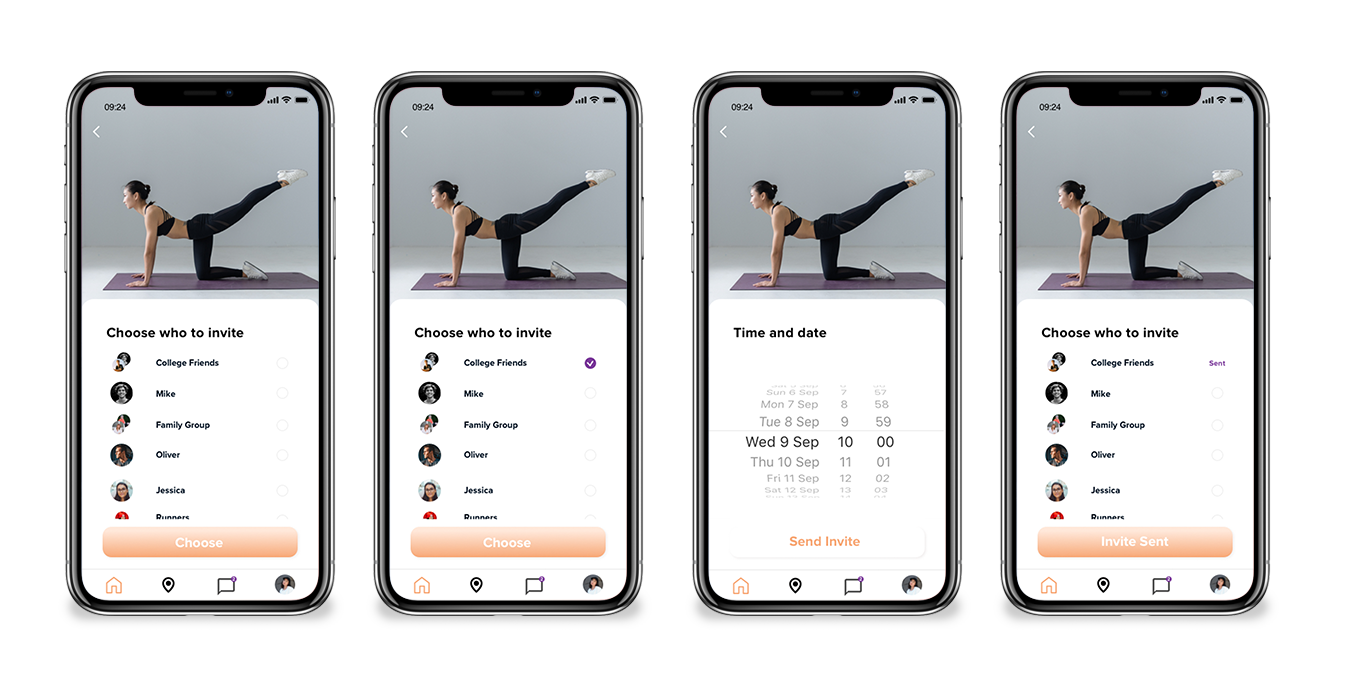
Video Workout Invite
To make the experience more engaging and social I created a way for users to invite others to do a video workout together.
This was also based on my findings in my market research, where I found that there has been an increase of 46% downloads of fitness apps globally, due to the pandemic.
This feature will allow users to work out together despite social distancing.

Video Workout
Do a video workout together with your friends or family.

Design Handoff
The next step would be to hand over the designs to the developers. To minimize confusion and back-and-forth communication, as well as assure the quality of the product - good communication with the developers throughout the project is vital. Some important aspects would be:
To ensure a smooth handover, use tools such as Zeplin or Zeplin
Include user flows to help the developers have a clear understanding of how the flow of the implementation should look like
Add a video showing micro-interactions between or within screens
Make sure to include updated versions of the Style Guide
Have good communication with everyone involved and asked for a review of the design deliverables, to avoid confusion at a later stage